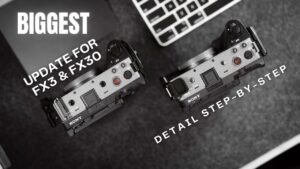
I finally put a cage on my Sony A1 II. In the video above, I unbox the Tilta cage built for this camera, walk through the full setup step by step, and explain why I think a cage belongs on almost any camera that earns its keep. I also show you something that went wrong before the camera was even involved.
Quick note before we get into it: this video is not sponsored, and nobody from any brand gets to approve what I say here. I do honest reviews because that's what I'd want to find before spending my own money. If brands don't like that, too bad.
So here it is. The good, the bad, and the magnet.
Why put a cage on a camera at all
If you've never caged a camera before, here's the short version. A bare camera body gives you a shoe mount on top and a tripod thread on the bottom, and that's about it. The moment you want to add a monitor, a microphone, a handle, or a light, you run out of places to put things almost immediately.
A cage fixes that, and it does a second job that I'd argue matters even more:
- Protection. The cage takes the bumps, scrapes, and the occasional doorframe so your camera body doesn't have to.
- Accessory mounting. Threaded holes and mounting points all over the rig for monitors, mics, handles, and whatever else your kit collects over time.
- Peace of mind. The A1 II is not a cheap camera. A layer of metal between it and the world is cheap insurance by comparison.
That last point is the real reason for me. A camera like this needs to keep working, and a cage is one of the simplest ways to protect that.
Unboxing and first impressions
In the video I go through the unboxing piece by piece, so I won't try to recreate every detail in text. The short version: this is a cage made specifically for the Sony A1 II, and Tilta built a tool right into it, held in place by a magnet. On paper, I like that idea a lot. Cage screws always seem to need tightening at the worst possible moment, and a tool that lives on the rig means you're not digging through a backpack in the middle of a shoot.
Hold that thought about the magnet, though. We're coming back to it.
Attaching the cage to the A1 II
I walk through the full attachment process step by step in the video, so if you've got the cage in front of you, follow along there. The general approach is the same as most cages: line it up with the body, tighten it down, and don't rush it. A loose cage adds weight without adding protection, which is the worst of both worlds.
Once it's on, check everything you touch on a normal shoot day. Battery door. Card slots. Ports. The screen. A cage that blocks the controls you use every day isn't protecting your camera - it's just in the way. That goes for any cage on any camera, and it's worth the five minutes before you commit to a rig.
The magnet popped off - right out of the box
Now for the reason this video has the word "fail" in the title. That built-in tool I mentioned - the one held in place by a magnet? The magnet popped off. Not after a month of shoots. Not after a drop. Right out of the box.
Think about that for a second. The whole point of the magnet is to keep you from losing the tool, and it was the first thing on this cage to give up.
To be fair, I can only review the unit in my hands. Maybe I got the one bad cage in the batch. But that's kind of the point: quality control is part of the product. When a brand-new accessory fails at its one job before the camera is even inside the cage, it makes me wonder what else didn't get checked.
If you order this cage, my advice is simple. Test the magnet and the tool the day the box arrives, while a return is still easy. That's not me being dramatic. That's just what I'd do with my own money.
Verdict: who is this cage for?
Here's where I land after the unboxing and setup. The idea behind this cage is right: a dedicated fit for the A1 II, real protection, plenty of places to mount accessories, and a tool that stays with the rig. That's exactly the kind of thing a working shooter wants. The execution stumbled on the smallest part - and on a brand-new product, small failures are loud.
If you shoot video on an A1 II, I still think a cage belongs on it, and this one deserves a look. Just go in with your eyes open. Check the magnet, check the tool, check every screw, and decide whether the rest of the build earns your trust. If anything else comes up as I keep using it, I'll share what I find.
If you want to grab one and inspect that magnet for yourself, this is the exact cage from the video. Check the current price on Amazon
And if you're curious what other gear I use and recommend, the full list lives on my gear page.